


Quinny AI Prompt Suggestions: How to Get Instant, Decision-Ready Answers?
- QNE Software Philippines
- Published on
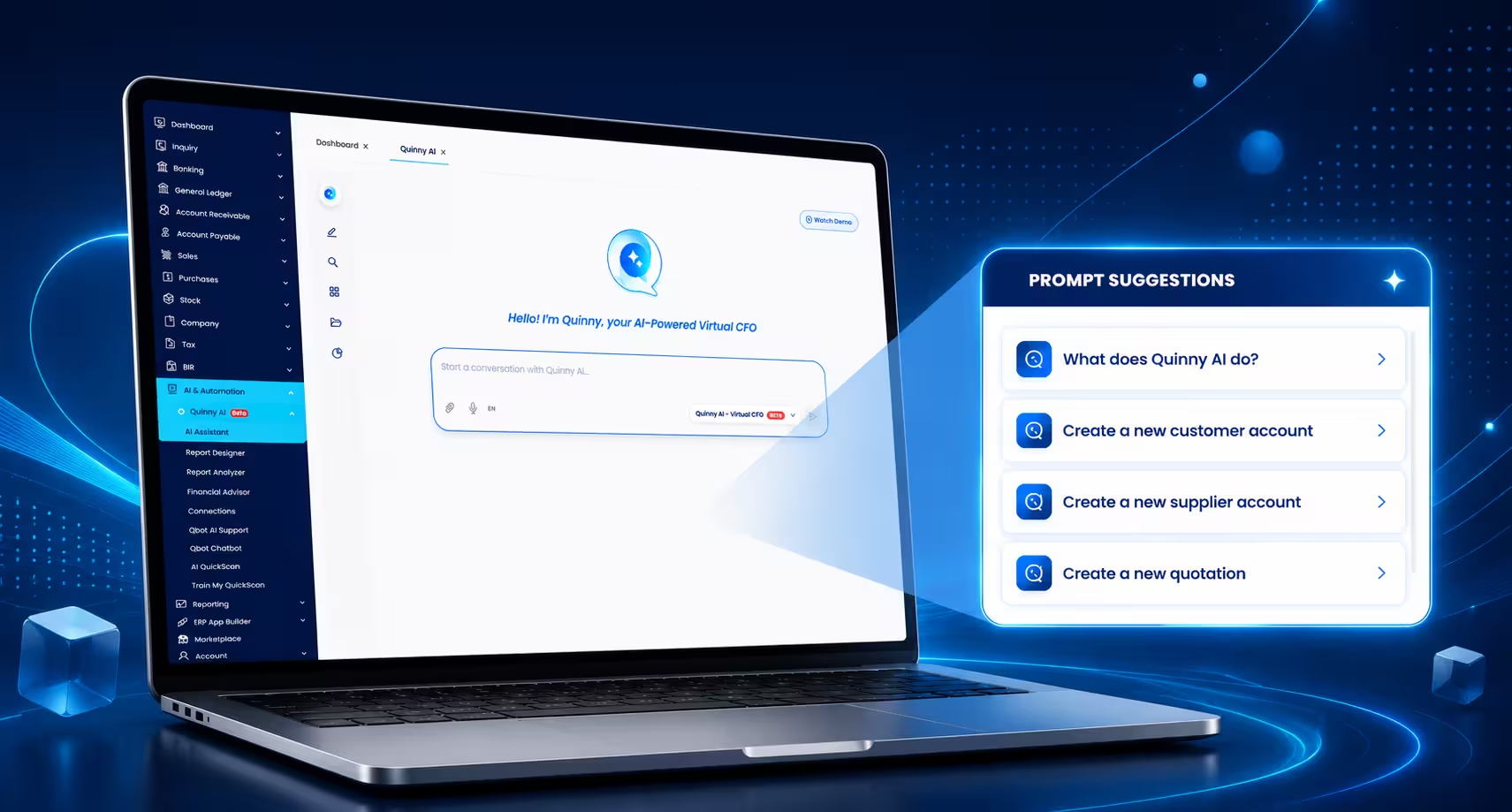
If you have been following our recent announcement, you already know that by July 16, 2026, all QNE AI Cloud Accounting users will be automatically migrated to N3 AI Accounting. One of the biggest reasons this upgrade is worth getting excited about is Quinny AI — your built-in AI assistant that gets noticeably smarter inside N3.
In this guide, we are putting the spotlight on one of Quinny AI’s most practical features: Prompt Suggestions. We will walk through what it does, why it matters for your day-to-day decision-making, and a sample case showing exactly how a business owner would use it in real life.
What Is Prompt Suggestions?
Prompt Suggestions is a feature inside Quinny AI that removes the hardest part of using any AI assistant: knowing what to ask. Instead of typing out a question or figuring out the right financial terminology, you simply click on the business question you want answered. Quinny AI has already mapped the most important financial questions a business owner or accountant needs into ready-to-use, one-click prompts.
No prompts. No guessing. Just click.
Behind each click, Quinny AI pulls directly from your live financial data inside N3 AI Accounting and translates it into a clear, decision-ready answer — in seconds.
The Five Questions Every Business Owner Actually Needs Answered
Quinny AI Prompt Suggestions is organized around five core financial questions. These are not arbitrary categories — they map to the exact areas accountants and business owners check when evaluating how a business is really doing:
| Category | What It Tells You |
|---|---|
| Liquidity | Can you pay your bills? |
| Efficiency | Are you using your assets effectively? |
| Solvency | Can your business sustain long-term? |
| Cash Flow | Is cash moving the way it should? |
| Profitability | Are you truly generating value? |
Each one of these is a single click away inside N3 AI Accounting. There is no need to remember the right accounting term, no need to build a report, and no need to compute a ratio manually.
What You Get With Every Click
Once you select a category, Quinny AI instantly delivers three layers of insight in one view:
- A clear, headline answer — a plain-language verdict on where your business stands.
- Key financial ratios and metrics — the actual numbers behind that verdict.
- A concise interpretation — what the numbers mean and why they matter right now.
This is the shift Prompt Suggestions is designed for: instead of spending time interpreting numbers, you spend that time making decisions.
How to Use Quinny AI Prompt Suggestions: Step-by-Step
Here is exactly how to use this feature inside N3 AI Accounting, whether you are reviewing monthly performance or preparing for a meeting with your accountant, investor, or business partner.
Step 1: Open Quinny AI
Log in to your N3 AI Accounting account and open the Quinny AI panel. This is your built-in AI assistant, available wherever you are working in the system.
Step 2: Select a Business Question
Instead of typing a prompt, look for the Prompt Suggestions menu and choose the question that matches what you currently need to know — Liquidity, Efficiency, Solvency, Cash Flow, or Profitability.
Step 3: Review the Instant Answer
Quinny AI processes your live transaction data and returns a headline answer, the supporting ratios, and a short interpretation — all within seconds, with zero manual computation.
Step 4: Decide on Your Next Action
Use the interpretation to guide what happens next — whether that is following up on receivables, adjusting spending, preparing a report for a stakeholder, or simply confirming that the business is on track.
Step 5: Repeat Across Categories for a Full Picture
For a complete financial health check, click through all five categories in sequence. In under a minute, you will have a full snapshot of liquidity, efficiency, solvency, cash flow, and profitability — something that would otherwise take a manual review of multiple reports.
Why Quinny AI Prompt Suggestions Matters Beyond Convenience?
Quinny AI Prompt Suggestions is not just about saving time — it changes who gets access to financial insight inside your business.
- For business owners without an accounting background, it removes the intimidation of financial ratios and reports.
- For accountants and bookkeepers, it cuts down the manual work of pulling and explaining numbers, freeing up time for advisory work.
- For multi-branch or growing businesses, it means anyone on the team with system access can check financial health without waiting for a report to be prepared.
- For decision-making in general, it shortens the gap between “what happened” and “what should we do about it.”
Sample Case: Using Prompt Suggestions in a Real Business Scenario
To show how this works in practice, here is a sample case based on a typical Philippine service-based SME using N3 AI Accounting.
The Business
A home and lifestyle retail shop with two branches in Metro Manila, selling kitchenware, small appliances, and home decor. The owner manages purchasing decisions directly and works with a part-time bookkeeper who updates the books weekly.
The Situation
It's the start of a new quarter, and the owner is planning the next round of inventory purchases. Shelf space is limited, and a supplier is offering a bulk deal on a new kitchenware line — but the owner first wants to check whether existing stock is being tied up in slow-moving items before committing to anything new.
Using Quinny AI Prompt Suggestions
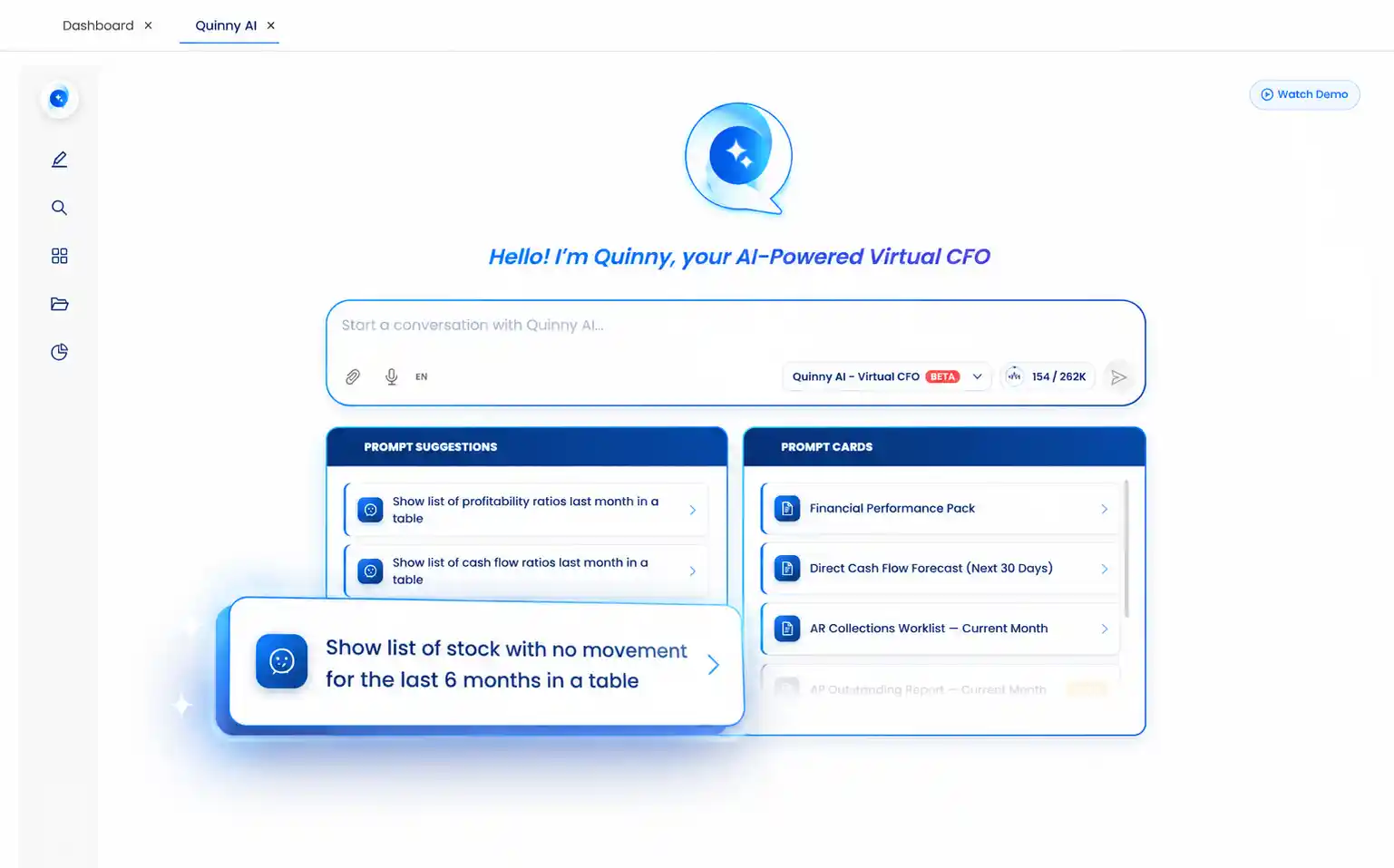
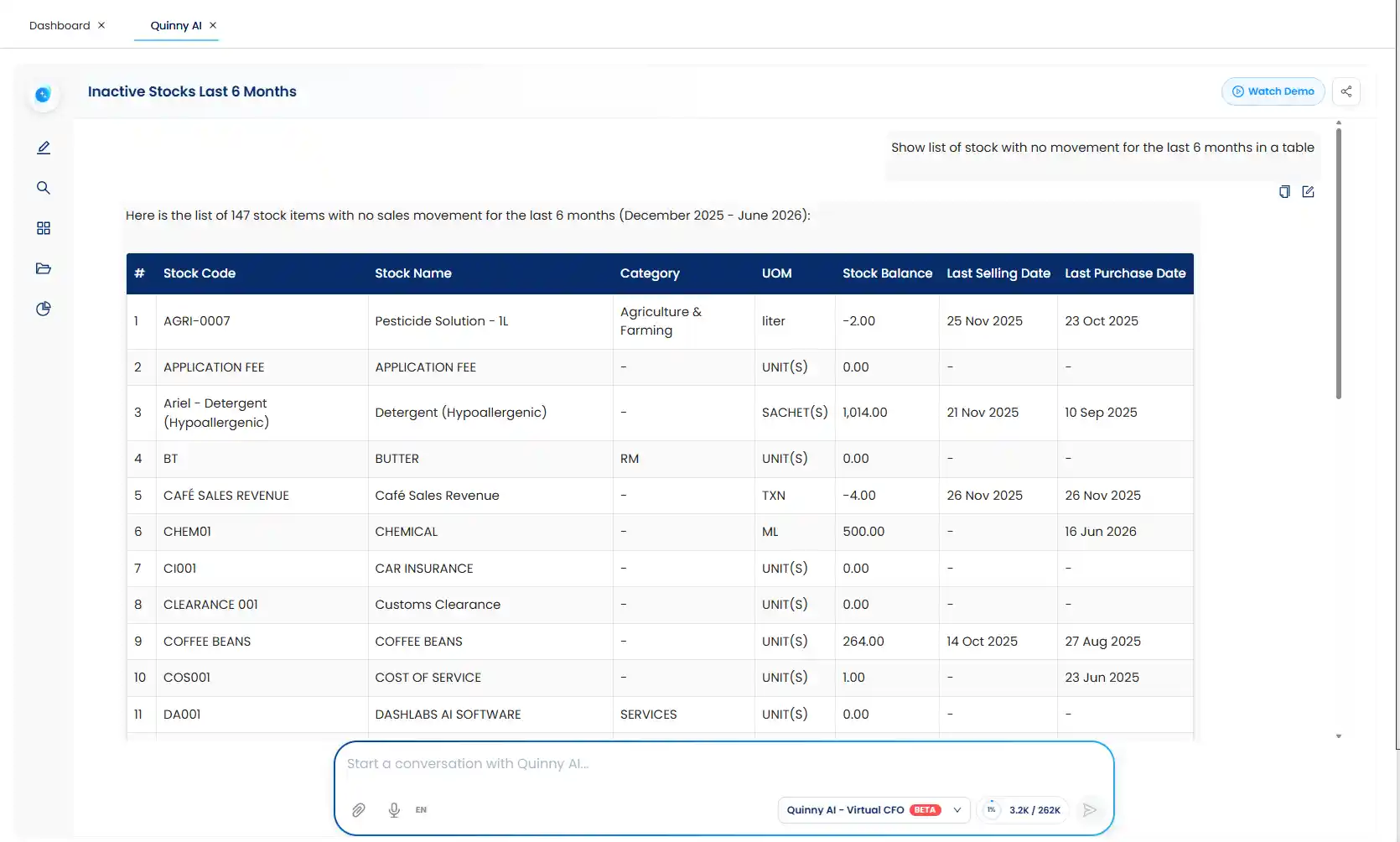
Instead of manually cross-checking inventory reports or asking the bookkeeper to compile a list, the owner opens Quinny AI inside N3 AI Accounting and clicks: "Show list of stock with no movement for the last 6 months in a table." Quinny AI instantly returns a table of items that haven't sold in half a year — including a set of seasonal serveware and a discontinued small-appliance model — along with their quantities and tied-up value.
Quinny AI returns the following in seconds...
The Decision
Seeing exactly which items are dead stock, the owner decides to run a clearance markdown on the slow-moving serveware to free up cash and shelf space, and skips reordering the discontinued appliance model altogether. With that capital and space freed up, the owner moves forward on the new kitchenware bulk deal — backed by data instead of a guess. This is the core value of Prompt Suggestions for a retail business: a stock decision that used to mean digging through inventory reports now takes one click and a clear table.
Explore Quinny AI in N3 AI Accounting
Quinny AI Prompt Suggestions reflects exactly what Quinny AI is built to do inside N3 AI Accounting: turn your financial data into a real-time decision-making partner. No prompt writing. No complexity. No delays — just a faster, smarter way to turn your numbers into the next right move.
This is one of the upgraded capabilities you gain access to automatically when your QNE AI Cloud Accounting account transitions to N3 AI Accounting on July 16, 2026. No extra cost, no setup, and no learning curve beyond clicking the question you already wanted answered.
To see it in action, watch the full demo or learn more about what’s coming with the N3 AI Accounting Migration.
- Watch the Quinny AI Prompt Suggestions demo on our YouTube channel.
- Read more about The switch to N3 AI Accounting happening on July 16, 2026.
- Have questions? Reach out to our team — we are happy to walk you through what’s new.
Frequently Asked Questions (FAQs)
What is Quinny AI Prompt Suggestions?
Quinny AI Prompt Suggestions is a feature inside Quinny AI, the built-in AI assistant in N3 AI Accounting, that maps key financial questions into ready-to-use, one-click prompts. Instead of typing a question, you simply select what you want to understand — Liquidity, Efficiency, Solvency, Cash Flow, or Profitability — and Quinny AI delivers an instant, decision-ready answer.
Do I need to know accounting terms or write prompts to use this feature?
No. Quinny AI Prompt Suggestions is designed so you never have to figure out what to ask or use technical financial language. Each prompt is already written for you — you just click the business question that matches what you need to know.
What does Quinny AI show after I click a Prompt Suggestion?
Each click returns three things at once: a clear headline answer, the key financial ratios and metrics behind it, and a concise interpretation of what those numbers mean for your business.
Which financial areas does Quinny AI Prompt Suggestions cover?
It covers five core areas: Liquidity (can you pay your bills), Efficiency (are you using your assets effectively), Solvency (can your business sustain long-term), Cash Flow (is cash moving the way it should), and Profitability (are you truly generating value).
Who benefits most from using Quinny AI Prompt Suggestions?
Business owners without an accounting background get instant clarity without needing to interpret reports. Accountants and bookkeepers save time on manual report-pulling and can focus more on advisory work. Teams in growing or multi-branch businesses can check financial health anytime without waiting on a prepared report.