







Send All Your Invoices
in One Click Inside
QNE Optimum
Stop manually emailing invoices one by one. With QNE Optimum, you can send invoices and statements to multiple customers instantly — while tracking every delivery. Get Paid Faster.
How SMEs Accidentally Delay Their Own Cashflow?
Many SMEs assume customers pay late because of slow approval processes. But in reality, the delay often starts earlier. When invoices are delayed, payment timelines shift. A 2-day delay in sending invoices can easily become a 2-day delay in receiving payment. This is how many businesses unknowingly slow down their own cashflow.
See How Faster Invoicing Works in QNE Optimum
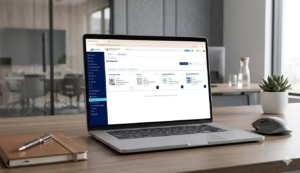
Discover how finance teams use QNE Optimum to send invoices in bulk and trigger payments faster. Instead of manually emailing invoices one by one, you can deliver them instantly with a few clicks.
The Hidden Cashflow Leak
Your Invoices Are Created on Time.
But Are They Delivered on Time?
Most SMEs Do This Right
- Create invoices correctly
- Approve them on time
But Lose Time Here
- Send them manually
- Don't track delivery
- Resend blindly
Payment clock starts when the invoice is received — not created.
A 3–5 day sending delay × 80 invoices = serious cashflow shift.
The Timeline Impact
Why Manual Sending Breaks as You Grow?
Manual email depends on:
- One staff member
- Outlook/Gmail
- Memory
- Availability
As volume increases:
- Month-end becomes stressful
- Attachments are rushed
- Customers say "I didn't receive it"
- Finance resends again
This isn't a people problem. It's a process problem.
Turn Invoice Sending Into a Controlled System
With QNE Optimum Batch Batch Email Distribution
With Batch Email Distribution Module, you can:
- Batch Send ALL invoices in a few clicks
- Track number of times invoice was sent
- Filter validated e-Invoices
- Setup SMTP once — done

What You Get:
No Manual Work
- No exporting
- No copying emails
- No manual attachment risk
Core Features
- Batch selection & sending
- Send count tracking
- e-Invoice filtering
- SMTP configuration
Support & Resources
- Onboarding video guide
- Step-by-step tutorials
- Knowledge resources
- Post-purchase support
The Financial Impact
Invoices per month
80
Average invoice value
RM 5,000
Delivery delay
4 days
Total Cashflow Pushed Forward
RM 400,000
That's 4 days of unintentional customer credit
Traditional Method vs. QNE Optimum
Invoice Delivery Process
Invoice Delivery Process
Delivery Visibility
Delivery Visibility
Email Send Control
Email Send Control
Payment Follow Ups
Payment Follow-Ups
QNE OPTIMUM
Invoice Delivery Process
Batch send
Delivery Visibility
Delivery tracking
Email Send Control
Send count
Payment Follow Ups
Controlled AR
TRADITIONAL
Invoice Delivery Process
Manual send
Delivery Visibility
No tracking
Email Send Control
Duplicate email
Payment Follow Ups
Delay & Disputes
Batch Email Add-On Module is available in below Screens and Modules of QNE Optimum Accounting System
Customer Batch Reports
- Invoice Voucher
- Receipt Voucher
- Customer Credit Note
- Customer Debit Note
- Statement of Account
- Overdue Warning Letters
Supplier Batch Reports
- Bill Voucher
- Payment Voucher
- Supplier Credit Note
- Supplier Debit Note
Sales Batch Reports
- Quotation
- Sales Order
- Delivery Order
- Sales Invoice
- Sales Credit Note
- Sales Debit Note
- Cash Sales
Purchase Batch Reports
- Purchase Requisition
- Purchase Order
- Goods Received Notes
- Purchase Invoice
- Purchase Debit Note
- Purchase Return
- Cash Purchase
Who is this for?
This is ideal if you
- Issue 30+ invoices monthly
- Have B2B credit customers
- Send monthly statements
- Handle validated e-Invoices
- Have a small finance team
If your AR is important to your operations, this is no longer optional.
Activate Your Batch Email Distribution in QNE Optimum
Start Sending in One Click.
Lifetime Activation
RM800
(One-Time Fee)
- Lifetime Batch Email Distribution activation
- Unlimited invoice & statement batch sending
- Delivery tracking + send count visibility
- Validated e-Invoice filtering
- Onboarding video guide
- Step-by-step setup video tutorial
- Free knowledge resources
- Post-purchase support
What this means:
- Save 2–6 hours monthly
- Reduce resend mistakes
- Standardize AR sending
- Improve payment discipline
MOST POPULAR
Want It Done Properly the First Time?
If you’d rather not configure email settings yourself,
we’ll set everything up with you with this Additional Package.
Done-With-You Package
with additional
RM600
(One-Time Additional)
- Everything from Lifetime Activation, PLUS
- 1-to-1 onboarding briefing
- Guided SMTP configuration
- Template personalization
- First live batch sent together
- Confirmation of successful delivery
We stay with you until:
- Setup uncertainty is resolved
- Trial-and-error time is eliminated
- Configuration mistakes are prevented
Frequently Asked Questions (FAQs)
Will Batch Email Distribution help me get paid faster?
Yes. Sending invoices immediately allows the payment cycle to start earlier, which can improve cashflow timing. Instead of manually emailing invoices one by one, businesses can send dozens or hundreds of invoices instantly with a single click.
How much time can Batch Email Distribution save?
Most finance teams spend 2–6 hours per month manually attaching invoices and sending emails. With Batch Email Distribution, invoices can be delivered in one click, significantly reducing repetitive administrative work.
Can I track whether an invoice has already been sent?
Yes. QNE Optimum records the number of times each invoice has been sent, allowing finance teams to verify delivery and avoid duplicate sending.
Can I send many invoices at the same time?
Yes. Businesses can select 50 to 200 or more invoices and send them in one batch. This eliminates the need to manually email each invoice individually.
Is Batch Email Distribution difficult to set up?
No. Email setup (SMTP) only needs to be configured once, and after that invoices can be sent directly from QNE Optimum with a single click.
Why shouldn’t we continue sending invoices manually?
Manual sending becomes inefficient as invoice volume grows. Batch sending helps businesses standardize invoice delivery, reduce sending delays, and improve accounts receivable control.
What do I get when I activate Batch Email Distribution?
Activation unlocks lifetime access to Batch Email Distribution in QNE Optimum, including unlimited invoice batch sending, delivery tracking, validated e-Invoice filtering, and onboarding guides. An optional Done-With-You upgrade is available for businesses that prefer guided setup and onboarding support.
Can Batch Email Distribution send only validated e-Invoices?
Yes. QNE Optimum allows you to filter and select only validated e-Invoices before sending them to customers. This helps ensure invoices are delivered only after successful validation, reducing the risk of sending incomplete or unapproved documents.
Does Batch Email Distribution affect MyInvois e-Invoice compliance?
No. Batch Email Distribution only controls how invoices are delivered to customers by email. It does not change the validation, submission, or compliance process with the MyInvois portal. Your existing e-Invoice validation workflow remains unchanged.
You’ve done the hard work to close the sale.
Don’t let slow invoice sending delay your cash.
Send in one click.
Track every delivery.
Start getting paid sooner.
Most SMEs:
- Generate invoices on schedule
- Approve them quickly
But still:
- Send invoices manually
- Don’t track delivery
- Resend emails blindly
Why Manual Sending Breaks As You Grow?
Manual email depends on:
- One staff member
- Outlook/Gmail
- Memory
- Availability
This isn’t a people problem. It’s a process problem.
With QNE Optimum
Batch Email Distribution
- Select 50–200 invoices
- Click Send
- Track number of times invoice was sent
- Filter validated e-Invoices
- Setup SMTP once — done
No exporting.
No copying email addresses.
No manual attachment risk.
The Financial Impact
Example:
80 invoices per month
RM5,000 average invoice value
4-day sending delay
That’s RM400,000 pushed forward by 4 days.
You are unintentionally giving customers free credit time.
Send earlier → Payment clock starts earlier.
Activate Your Batch Email Distribution in QNE Optimum
Start Sending in One Click.
You instantly get:
- Lifetime activation for Batch Email Distribution
- Unlimited invoice & statement batch sending
- Delivery tracking + send count visibility
- Validated e-Invoice filtering
- Onboarding video guide
- Step-by-step setup video tutorial
- Free knowledge resources
- Post-purchase support
What this means:
- Save 2–6 hours monthly
- Reduce resend mistakes
- Standardize AR sending
- Improve payment discipline
Core Activation Additional Upgrade:
Done-With-You Package
(RM 800 + RM600) +
8% SST
Most Popular for Growing SMEs Everything above PLUS:
- 1-to-1 onboarding briefing
- Guided SMTP configuration
- Template personalization
- First live batch sent together
- Confirmation of successful delivery
We stay with you until your first batch is successfully sent. This removes:
- Setup uncertainty
- Trial-and-error time
- Configuration mistakes