





New Feature Alert on N3 AI Accounting (formerly QNE AI Cloud Accounting): Effortless Billing Upload with WhatsApp QuickScan
This update provides specific, actionable details regarding the implementation and functionality of the WhatsApp QuickScan feature in N3 AI Accounting (formerly QNE AI Cloud Accounting), which is designed to be the “next generation of accounting”
What is WhatsApp QuickScan?
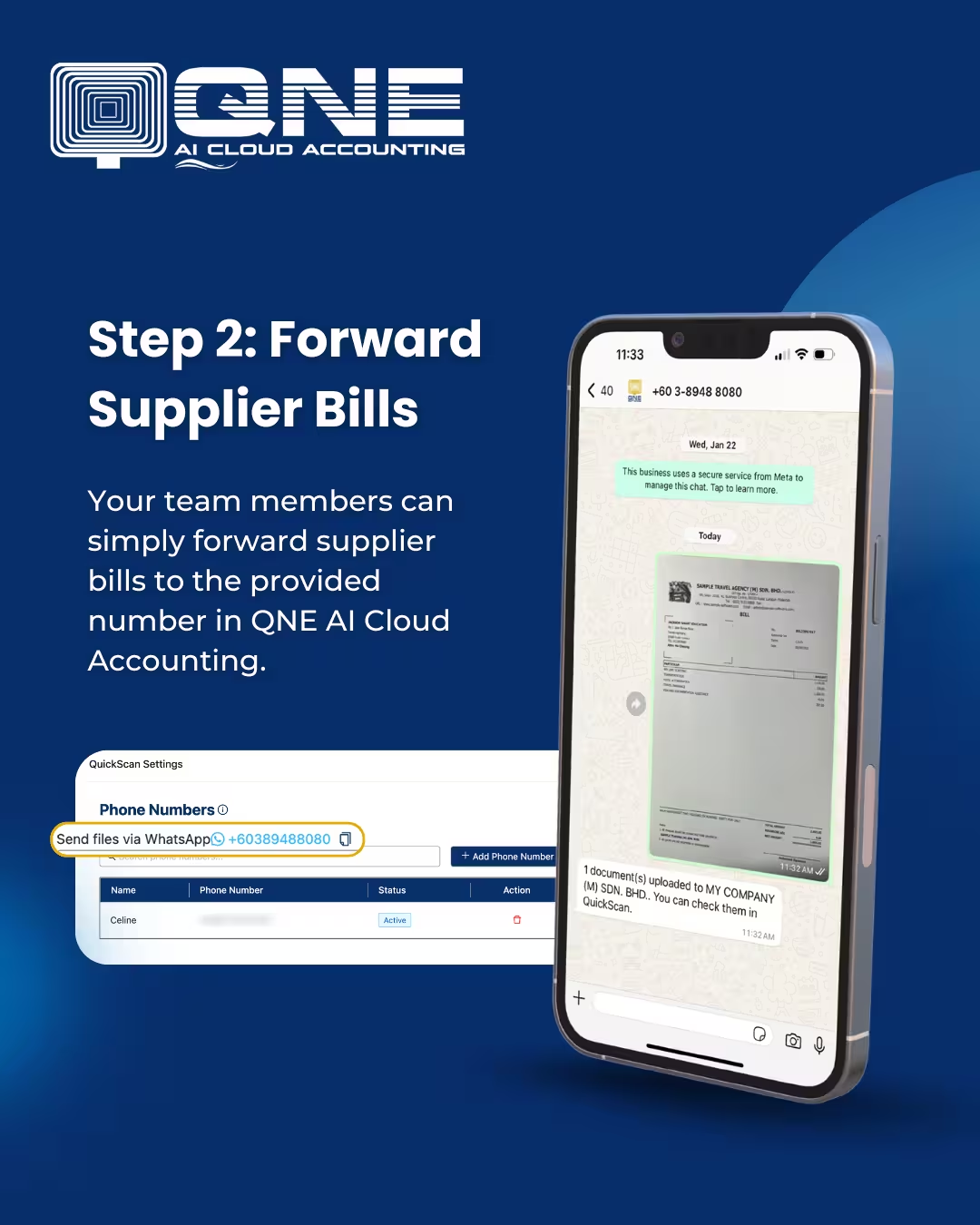
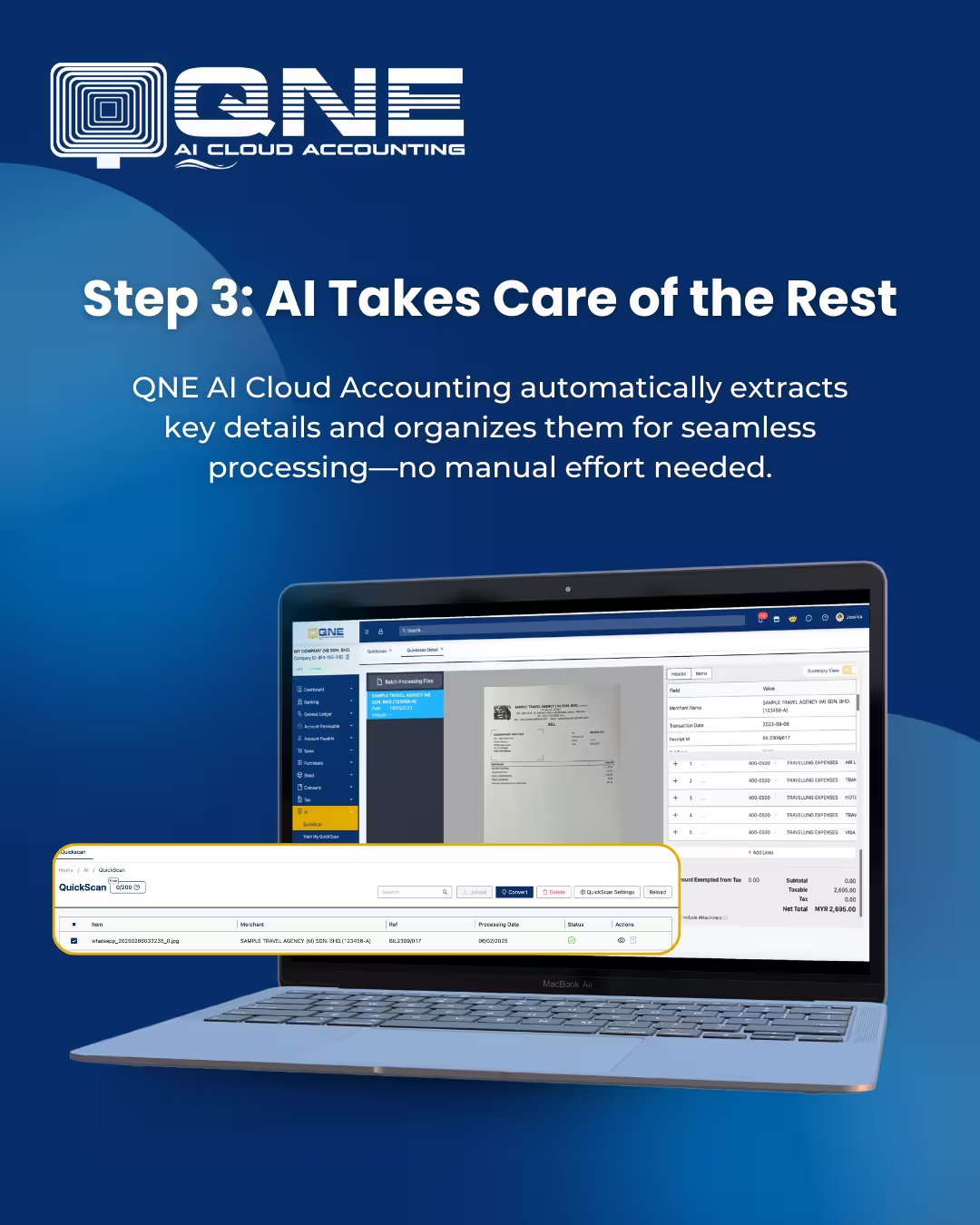
WhatsApp QuickScan is an AI-powered tool that allows your team to forward supplier bills directly from WhatsApp. No more manual uploads! Our AI extracts, processes, and organizes the data for you—automatically and efficiently. This update provides specific, actionable details regarding the implementation and functionality of the WhatsApp QuickScan feature in N3 AI Accounting (formerly QNE AI Cloud Accounting), which is designed to be the “next generation of accounting”
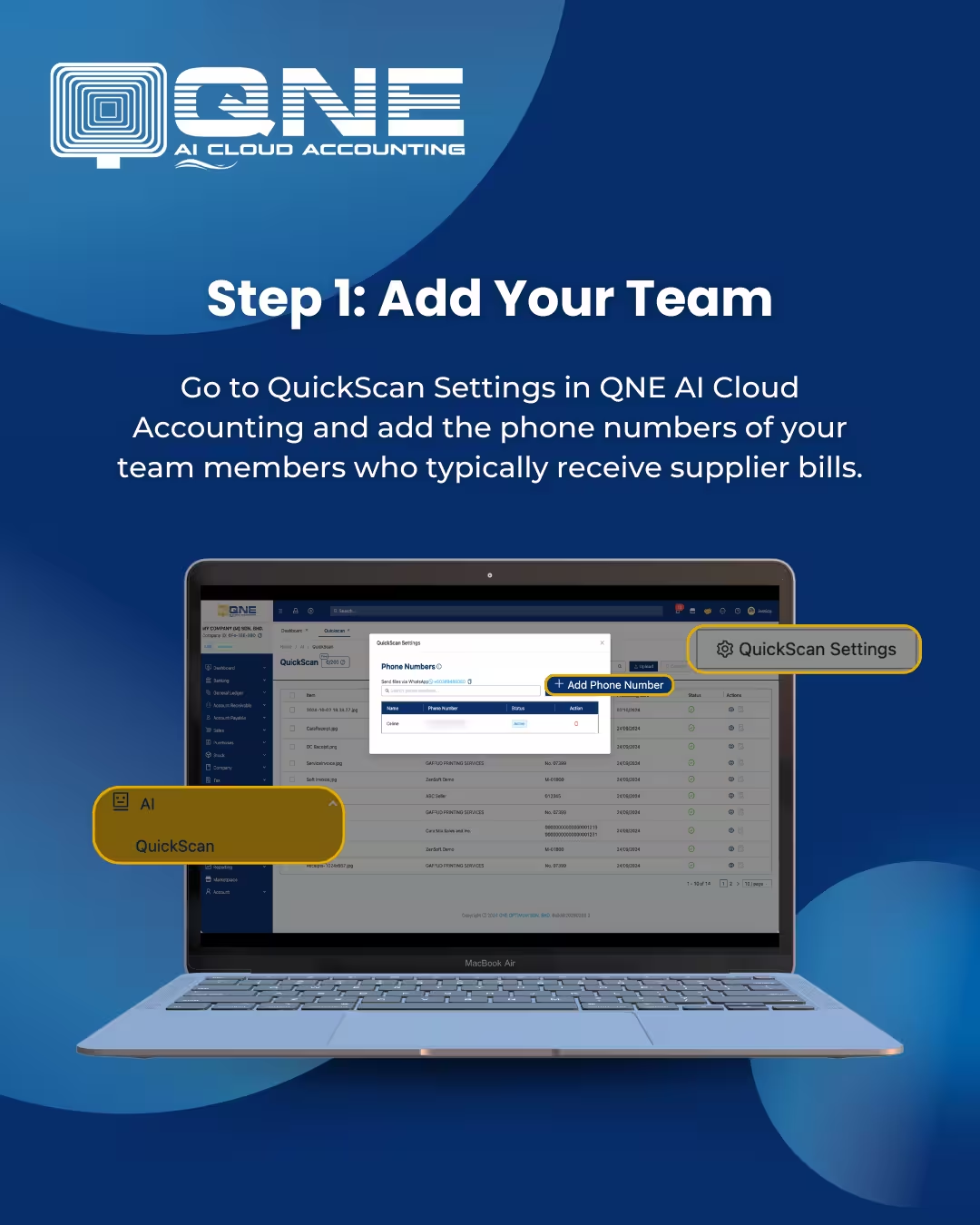
Steps on How to Use WhatsApp QuickScan:
Why Use WhatsApp QuickScan?
By leveraging AI and simplifying the data input through WhatsApp, the QuickScan feature provides immediate advantages:
- Time-Saving: There is no need to manually upload supplier bills. Users can skip tedious manual uploads and “just forward and go”.
- AI Automation: The system extracts and organizes invoice details without human effort.
- Enhanced Accuracy: Automation reduces human error in data entry.
- Ultimate Convenience: Your team members can directly forward invoices from WhatsApp. This provides the convenience of forwarding invoices anytime, anywhere via WhatsApp.
Broader Compliance and Ecosystem
N3 AI Accounting (formerly QNE AI Cloud Accounting) positions itself as a partner in ensuring LHDN e-invoice compliance. This demonstrates the platform’s commitment to providing solutions that are not only efficient but also aligned with regulatory demands.
For users who are “not yet using N3 AI Accounting (formerly QNE AI Cloud accounting),” they are encouraged to sign up now at account.qne.cloud to experience seamless accounting today. QNE offers extensive resources, including the QNE Academy, Knowledge Base, and Tutorials, to support users across various services like Accounts Receivable, Billing and Invoicing, and Accounts Payable.
Why Act Now? Unlock the Power of AI
By adopting WhatsApp QuickScan, you are choosing the next generation of accounting. The feature is designed for:
- Ultimate Convenience: Your team members can directly forward invoices from WhatsApp. You can forward invoices anytime, anywhere via WhatsApp.
- Time-Saving: Skip tedious manual uploads—just forward and go. There is no need to manually upload supplier bills.
- Enhanced Accuracy: The automation reduces human errors in data entry.
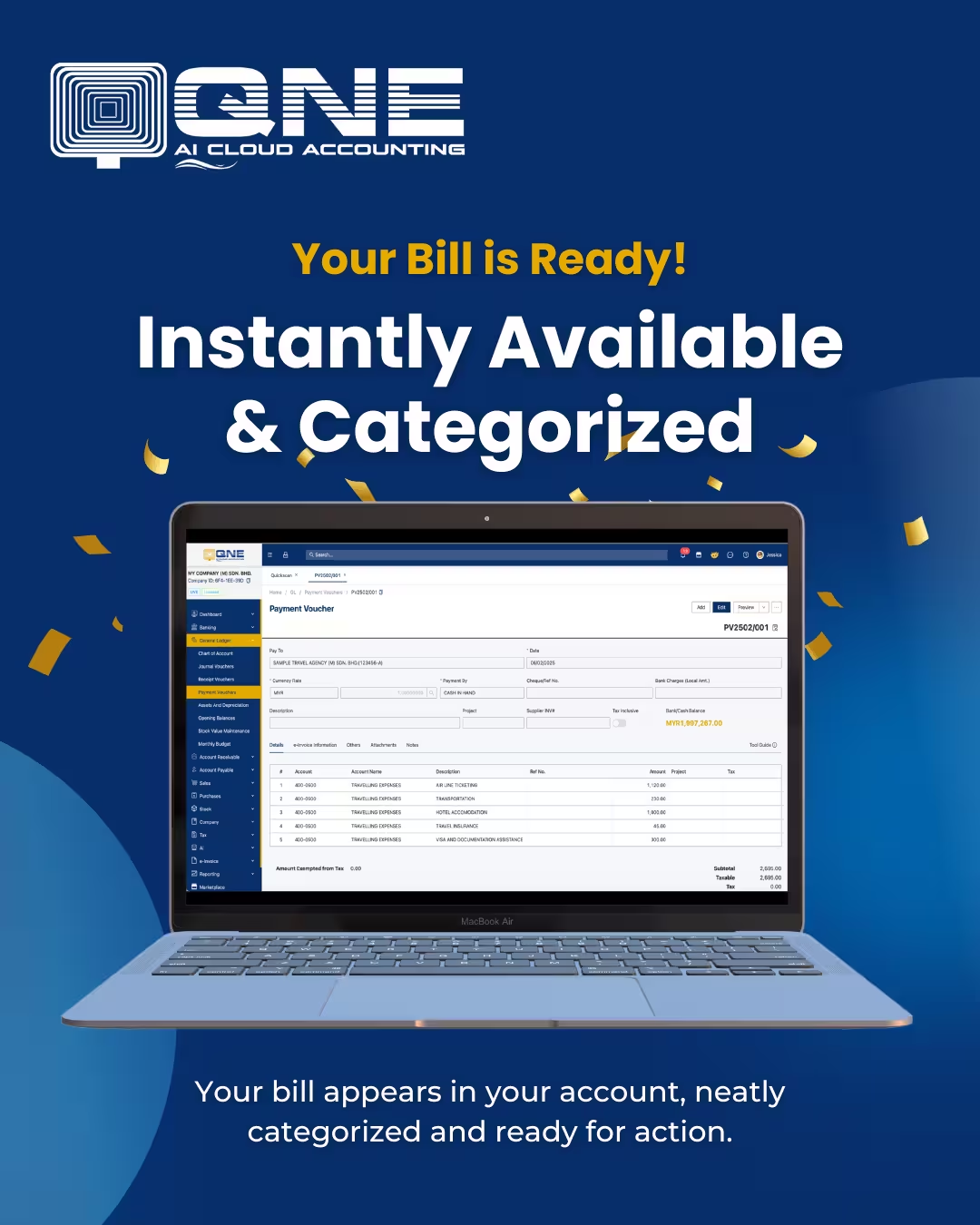
- Seamless Processing: N3 AI Accounting (formerly QNE AI Cloud accounting) auto converts and organizes your files, ensuring the bill is instantly available in your account, neatly categorized and ready for action.
Forward, process, and manage your bills all within N3 AI Accounting (formerly QNE AI Cloud accounting).
Try WhatsApp QuickScan Today!
Take the hassle out of invoice management. Start using WhatsApp QuickScan now and experience seamless automation with N3 AI Accounting (formerly QNE AI Cloud Accounting)! Sign up today at account.qne.cloud
N3 AI Accounting (formerly QNE AI Cloud Accounting) – Smarter Accounting, Faster Growth.
Frequently Asked Questions (FAQs)
What is WhatsApp QuickScan?
WhatsApp QuickScan is an AI-powered feature in N3 AI Accounting (formerly QNE AI Cloud Accounting) that lets your team forward supplier bills directly via WhatsApp for instant processing.
What is the main purpose of WhatsApp QuickScan feature?
It removes the need for manual uploads. QNE AI automatically extracts, processes, and organizes bill data, making invoice handling faster and more efficient.
How easy is it to set up?
Go to Quick Scan Settings in N3 AI Accounting (formerly QNE AI Cloud Accounting).
Register your team’s phone numbers.
Forward supplier bills to the assigned WhatsApp number.
Who can send invoices via WhatsApp?
Only registered phone numbers can forward invoices to QuickScan.
What happens after a bill is forwarded?
The system automatically:
Converts and organizes the files
Extracts key invoice details
Makes the bill instantly available
Categorizes it for immediate use