








How to Choose Your Payroll Software?
- Published on
Managing payroll becomes essential as soon as a company hires its first employee. From salary calculations to statutory deductions and payslip generation, payroll management requires accuracy and compliance with employment regulations.
While some companies outsource payroll to external service providers, many small and medium-sized businesses prefer to manage payroll internally. In this case, choosing reliable tool becomes important to ensure payroll accuracy and regulatory compliance.
Payroll administration cannot be improvised. It involves complex calculations, employee records, and regulatory reporting. Using a dedicated payroll system helps businesses automate payroll processes, reduce errors, and save administrative time.
This guide explains how to choose the right payroll software for your business and the key features to consider.
How to Choose Your Payroll Software?
Choosing the right payroll starts with understanding your business needs. Payroll requirements vary depending on the number of employees, industry regulations, and payroll complexity. Businesses must also ensure payroll management complies with tax regulations and statutory deductions required by the Malaysian Inland Revenue Board (LHDN).
Before selecting a payroll solution, businesses should evaluate:
The number of employees and payroll users
The level of payroll automation required
Compliance requirements and statutory reporting
Integration with accounting or HR systems
Budget for software, training, and support
Assessing these factors helps businesses identify the payroll software that best fits their operational needs.
Key Features to Look for:
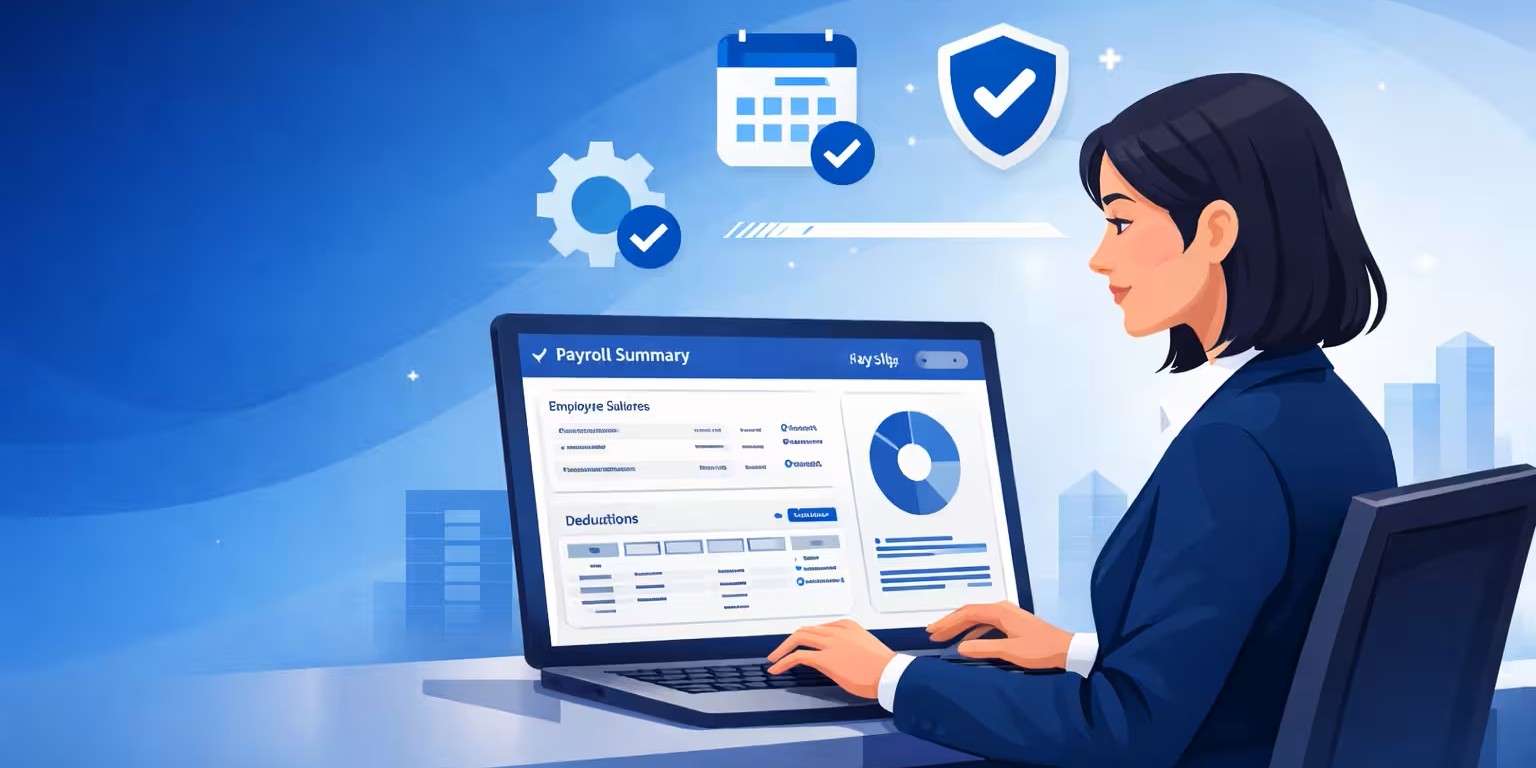
The main purpose of payroll software is to simplify payroll processing and employee administration. A reliable payroll system should support both daily payroll tasks and compliance requirements.
Common features include:
- Payslip Generation
It should allow businesses to generate accurate employee payslips automatically. - Payroll Payment Management
A payroll system can generate payment files that enable businesses to process salary transfers through banking systems. - Accounting Integration
Some payroll software automatically posts payroll journals into accounting systems, eliminating manual data entry. - Statutory Reporting
Payroll systems should support required statutory declarations and payroll reports required by local authorities. Employers must calculate statutory contributions such as EPF (Employees Provident Fund) as part of payroll processing. - Employee Records Management
Payroll software should maintain employee information such as employment details, salary structure, and payroll history. - HR Documentation
Many payroll systems can also generate documents such as employment contracts, work certificates, and payroll reports.
These features help businesses manage payroll efficiently while maintaining accurate employee records.
Licensed Payroll Software vs Cloud Payroll Software
When selecting payroll software, businesses usually choose between licensed payroll software and cloud payroll software.
Licensed Payroll Software
Licensed payroll software is installed on a company’s internal servers or computers. Businesses maintain control of their data and infrastructure.
However, companies may need to handle system maintenance, software updates, and IT management internally.
Cloud Payroll Software
Cloud payroll software, also known as SaaS payroll software, is accessed through the internet. The software provider manages system updates, security, and infrastructure.
Cloud payroll solutions allow businesses to:
Access payroll systems from anywhere
Automatically receive system updates
Reduce IT maintenance costs
Store payroll data securely in the cloud
Solutions such as QNE Cloud Payroll provide cloud-based payroll automation designed to help SMEs simplify payroll management while maintaining accurate payroll records.
Important Factors When Choosing Payroll Software
Before selecting, businesses should carefully evaluate several key factors:
Vendor Reliability
Choose a trusted payroll software provider with proven experience and reliable solutions.
Compliance Updates
It must be regularly updated to reflect regulatory changes and statutory requirements.
Customer Support
A responsive support team is important to resolve payroll issues quickly and avoid operational disruptions.
User Access
Determine whether the payroll system supports single-user or multi-user access depending on your business structure.
Industry Compatibility
Some industries have unique payroll regulations. Ensure that the payroll software can support payroll requirements specific to your sector.
Why Payroll Software Is Important for SMEs
It helps businesses manage payroll operations more efficiently and accurately. For SMEs, it can significantly reduce administrative workload while improving payroll transparency.
Key benefits include:
Automated payroll calculations
Reduced payroll errors
Faster payroll processing
Improved payroll reporting
Better compliance with payroll regulations
By automating payroll processes, businesses can focus more on growth and less on manual administrative work.
A Modern Payroll Solution for Growing Businesses
As businesses expand, payroll processes can become increasingly complex. Choosing a modern payroll system helps organizations manage employee payments, payroll records, and compliance requirements efficiently.
Cloud-based solutions such as QNE Cloud Payroll help businesses streamline payroll management through automation, accounting integration, and secure cloud access.
These systems allow companies to process payroll accurately while reducing manual tasks and administrative effort.
Choosing the right tool is an important decision for businesses that manage payroll internally. A reliable payroll system can simplify salary processing, improve payroll accuracy, and ensure compliance with regulatory requirements.
Before selecting a solution, businesses should evaluate their payroll needs, the features offered by the software, and the level of support provided by the vendor.
With the right tool in place, companies can manage payroll efficiently while supporting business growth.
Frequently Asked Questions (FAQs)
How to choose payroll software for Malaysian companies?
Choosing the right payroll software starts with understanding your business needs. Companies should consider the number of employees, industry regulations, payroll complexity, and budget. Other key factors include vendor reliability, compliance updates, customer support, and whether the software is a licensed system or cloud-based solution such as QNE Cloud Payroll.
What essential features should I look for in a payroll system for a growing startup?
Essential features include automated payroll calculations, payslip generation, accounting integration, statutory reporting, and employee record management. A modern payroll solution like QNE Cloud Payroll also offers compliance-ready automation and secure cloud access, helping startups save time and reduce errors.
How do payroll systems help ensure compliance with Malaysian EPF and SOCSO regulations?
Payroll software automates statutory deductions and reporting, ensuring employee contributions such as EPF, SOCSO, and EIS are calculated correctly. Solutions like QNE Cloud Payroll simplify compliance by automatically updating to reflect changes in Malaysian payroll regulations.
Find cloud-based payroll solutions suitable for companies with fewer than 50 employees in Malaysia.
Cloud payroll software provides scalable and secure access to payroll systems for small businesses. Cloud solutions, such as QNE Cloud Payroll, allow companies with fewer than 50 employees to process payroll online, automate salary calculations, and generate compliant payroll reports from anywhere.
Explain the advantages of payroll software that integrates with accounting platforms.
Payroll software integrated with accounting systems automatically posts payroll journals and reduces manual data entry. This improves accuracy, saves administrative time, and ensures financial records remain up to date. QNE Cloud Payroll supports seamless accounting integration to streamline payroll and finance processes.